SKU: OT2071-D125 Artikelnummer: AB012 EAN: 4308851007787

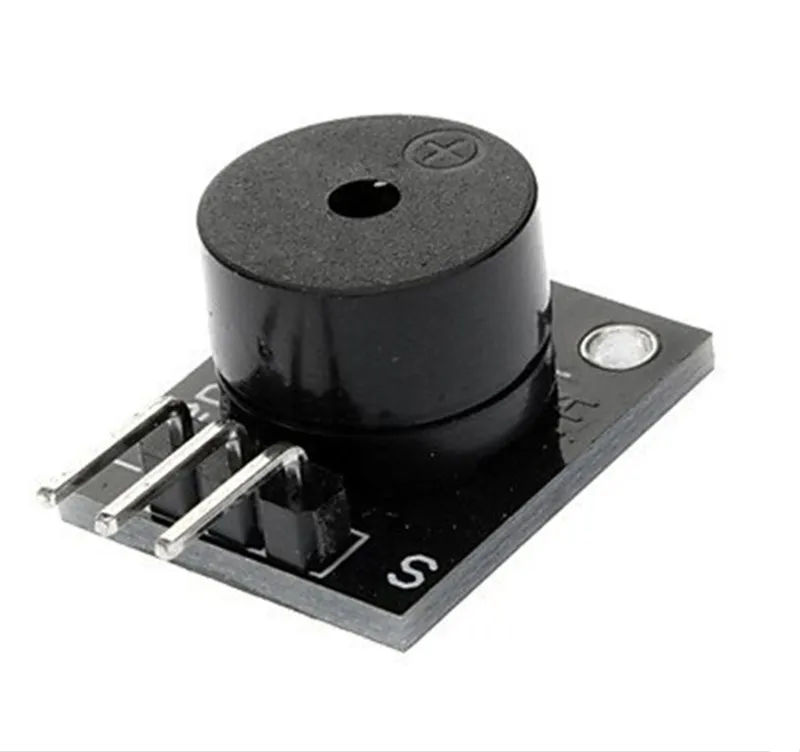
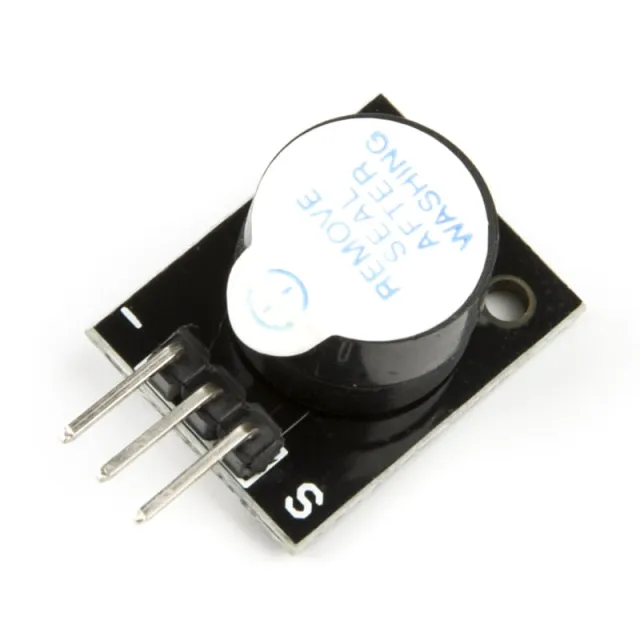
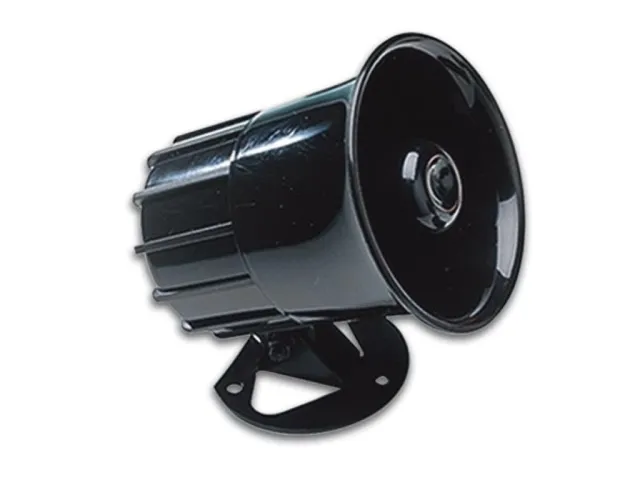
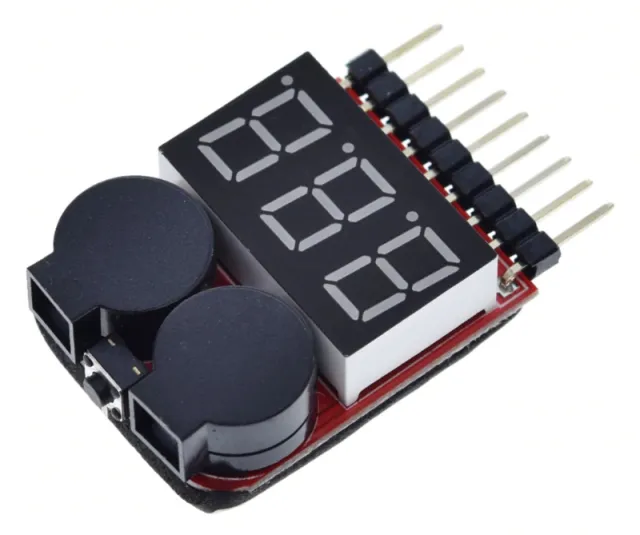
Dieser passive Buzzer gibt einen Ton von etwa 85db aus, wenn er an eine Spannung zwischen 4V und 8V angeschlossen wird. Für diesen passiven Buzzer wird ein Mikrocontroller benötigt, um den Buzzer mittels eines PWM-Signals zum Klingen zu bringen. Der Buzzer verbraucht ca. 30mA.
Voltage: 5V
Geeignet für u.a. Arduino
Abmessungen
Length: 2,5cm
Width: 1,5cm
Height: 1,1cm
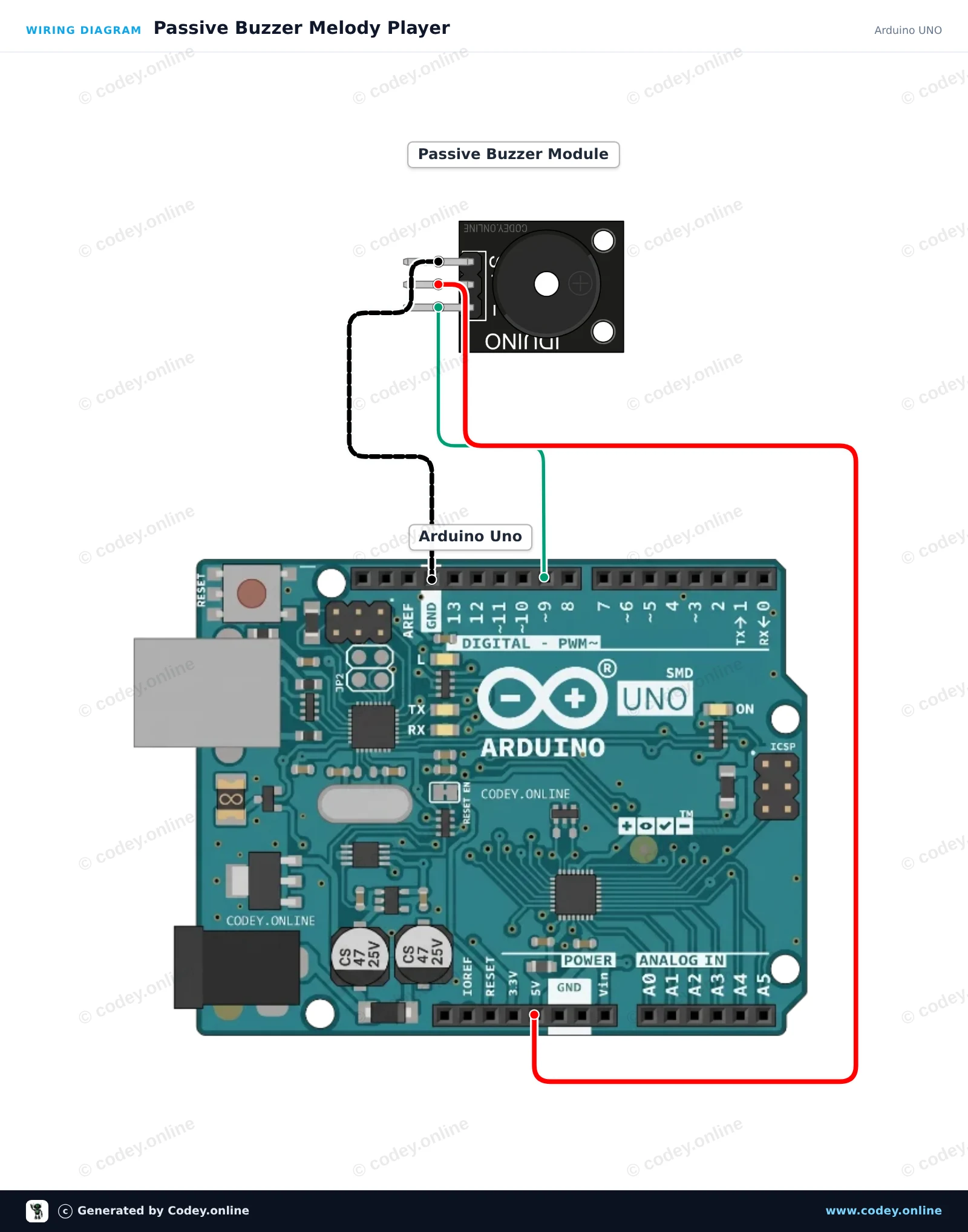
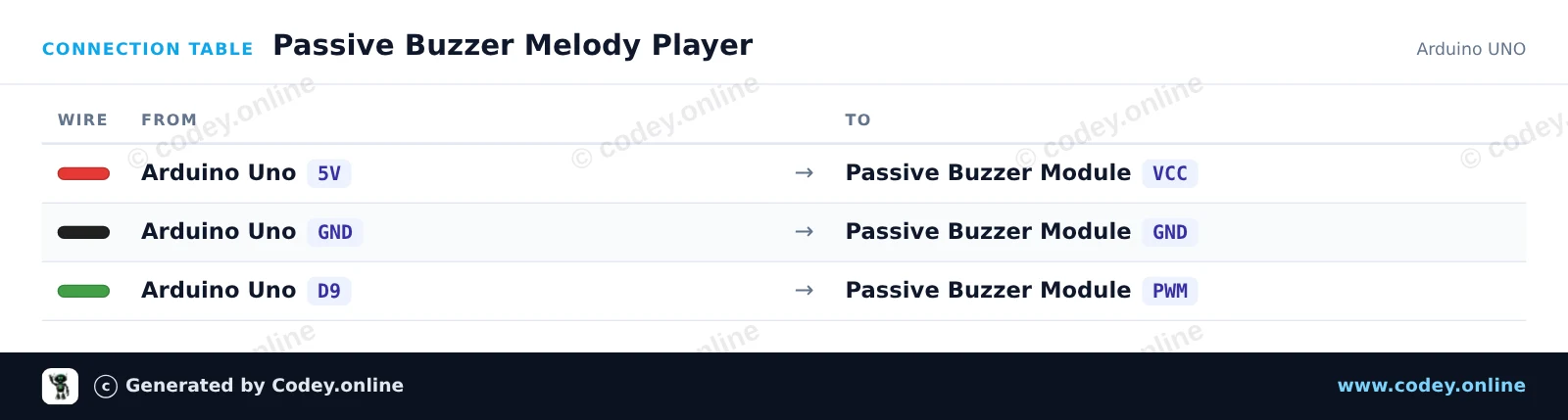
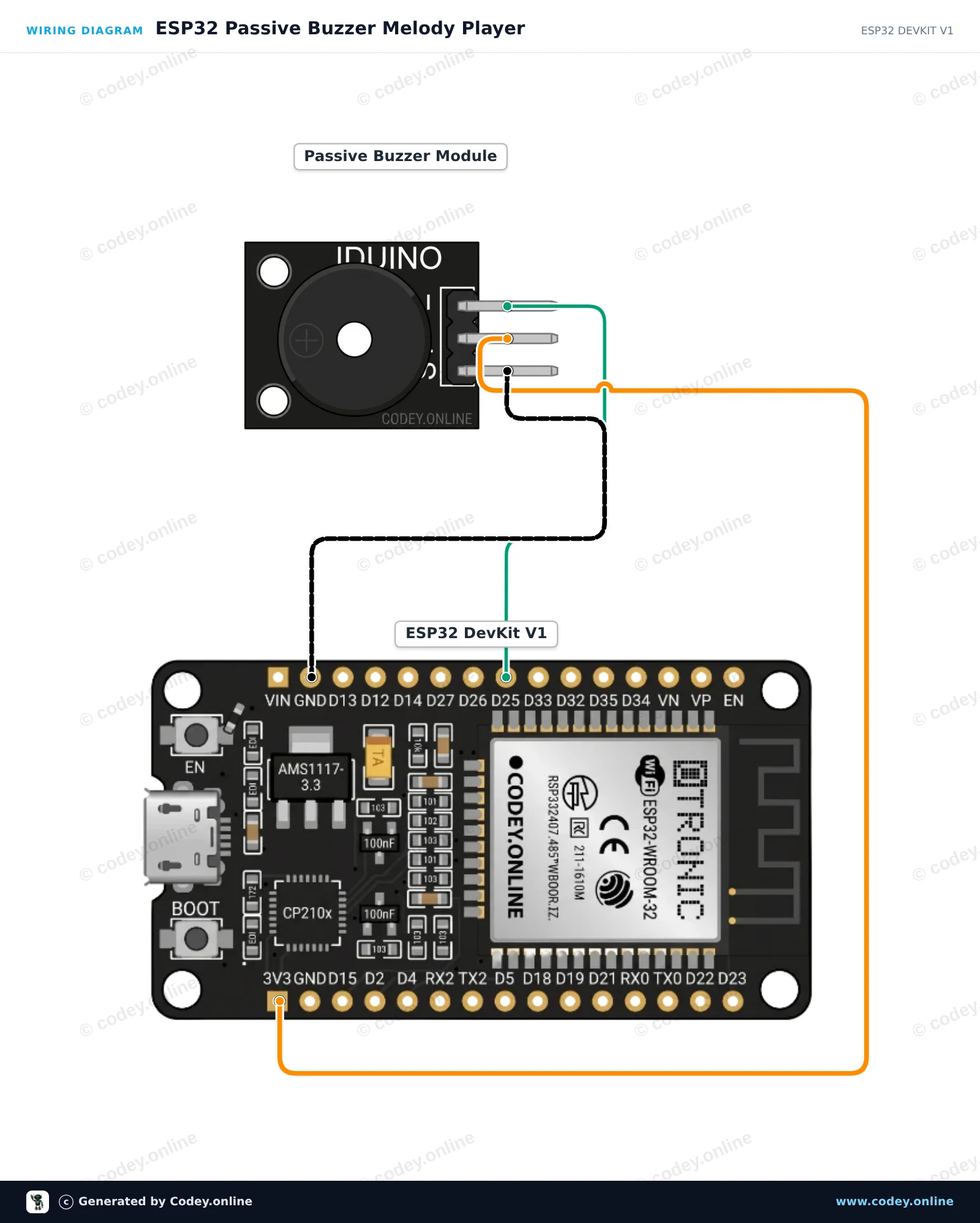
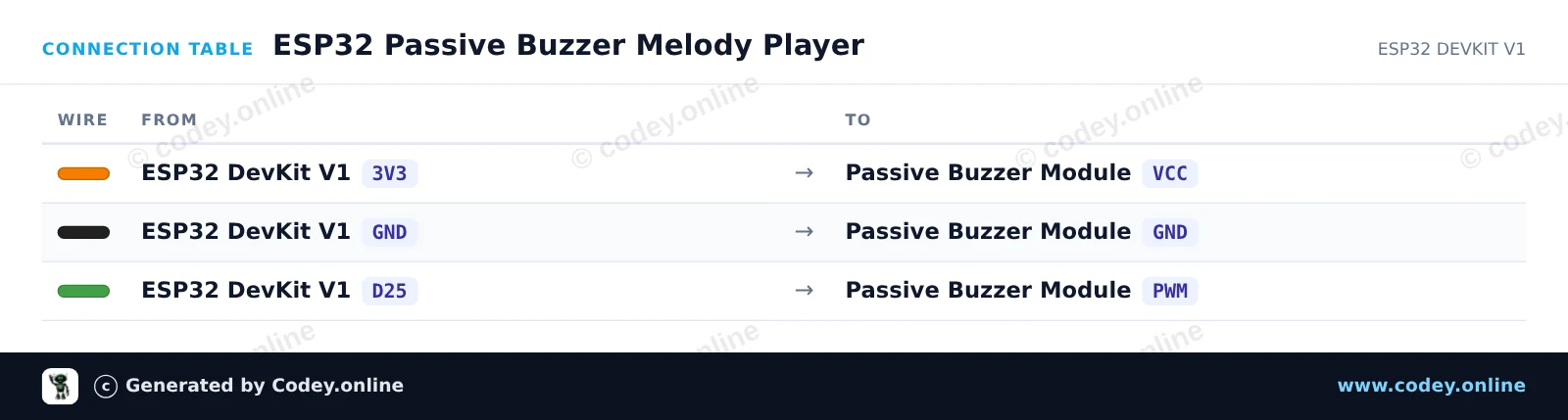
So schließt du den Buzzer-Modul passiv für Arduino an einen Arduino UNO oder ESP32 an, mit einem Beispiel-Sketch, den du direkt hochladen kannst.
Dieses Projekt zeigt, wie man mit einem passiven Buzzer-Modul und einem Arduino Uno musikalische Töne erzeugt. Der Arduino gibt über die Funktion tone() Signale mit variabler Frequenz aus, um eine Tonleiter abzuspielen. Öffne den Serial Monitor mit 115200 Baud, um die aktuell gespielten Frequenzen zu sehen.
/*
 * ==================================================================
 *  Generated by Codey.online  —  https://www.codey.online
 * ==================================================================
 *  Project   : Passive Buzzer Melody Player
 *  Board     : Arduino UNO (arduino:avr:uno)
 *  Parts     : Buzzer module passief Arduino
 *  Libraries : none (built-in)
 *
 *  Codey Online is an AI-powered browser IDE for Arduino and ESP32.
 *  Describe your project and Codey writes the code, draws the wiring
 *  diagram and uploads it to your board, straight from the browser.
 *  This code is free to use, modify and share, without warranty.
 * ==================================================================
 */

// Passive Buzzer Module Demo on Arduino Uno
const int BUZZER_PIN = 9;

// Musical notes in Hertz (C major scale: C4 to C5)
const int notes[] = {262, 294, 330, 349, 392, 440, 494, 523};
const int noteCount = sizeof(notes) / sizeof(notes[0]);

void setup() {
  Serial.begin(115200);
  Serial.println(F("Passive Buzzer Demo Starting..."));
}

void loop() {
  Serial.println(F("Playing scale ascending..."));
  for (int i = 0; i < noteCount; i++) {
    Serial.print(F("Tone: "));
    Serial.print(notes[i]);
    Serial.println(F(" Hz"));
    tone(BUZZER_PIN, notes[i], 150);
    delay(200);
  }

  delay(300);

  Serial.println(F("Playing scale descending..."));
  for (int i = noteCount - 1; i >= 0; i--) {
    tone(BUZZER_PIN, notes[i], 150);
    delay(200);
  }

  noTone(BUZZER_PIN);
  delay(1500);
}Wiring diagram and example code generated by Codey.online — https://www.codey.online
Dieses Beispiel zeigt, wie man mit einem passiven Summer-Modul und einem ESP32 musikalische Töne erzeugt. Der Mikrocontroller nutzt PWM-Tonerzeugung, um wiederholt eine Abfolge von Musiknoten abzuspielen. Verbinde das Summer-Modul direkt mit Stromversorgung, Masse und einem GPIO-Pin, um die Melodie zu hören.
/*
 * ==================================================================
 *  Generated by Codey.online  —  https://www.codey.online
 * ==================================================================
 *  Project   : ESP32 Passive Buzzer Melody Player
 *  Board     : ESP32 DEVKIT V1 (esp32:esp32:esp32doit-devkit-v1)
 *  Parts     : Buzzer module passief Arduino
 *  Libraries : none (built-in)
 *
 *  Codey Online is an AI-powered browser IDE for Arduino and ESP32.
 *  Describe your project and Codey writes the code, draws the wiring
 *  diagram and uploads it to your board, straight from the browser.
 *  This code is free to use, modify and share, without warranty.
 * ==================================================================
 */

// Pin connected to the passive buzzer's PWM input
const int BUZZER_PIN = 25;

// Frequencies in Hz for a simple arpeggio
const int melody[] = {262, 330, 392, 523};
const int noteDurations[] = {250, 250, 250, 400};

void setup() {
  Serial.begin(115200);
  pinMode(BUZZER_PIN, OUTPUT);
  Serial.println("ESP32 Passive Buzzer Demo Started!");
}

void loop() {
  Serial.println("Playing melody...");

  for (int i = 0; i < 4; i++) {
    tone(BUZZER_PIN, melody[i], noteDurations[i]);
    delay(noteDurations[i] * 1.30); // Pause between notes
    noTone(BUZZER_PIN);
  }

  delay(2000); // Wait 2 seconds before playing again
}Wiring diagram and example code generated by Codey.online — https://www.codey.online





 English
  Nederlands
  Frans
Frans  Italiano
  Español
  Suomi
Suomi  Polski
  Dansk
Dansk  Ελληνικά
  Български
  Čeština
  Hrvatski
  Aileen