SKU: OT2047-B81 Artikelnummer: NB111 EAN: 4765791479546

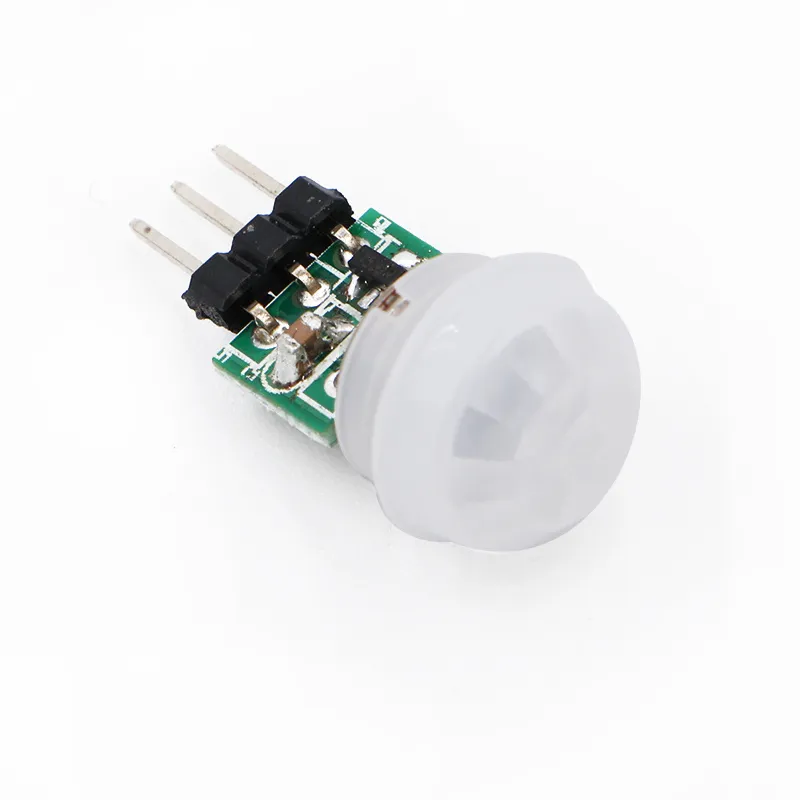
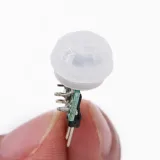
Der kleine Bruder des gewöhnlichen PIR-Sensors, der Kopf hat einen Durchmesser von nur 1,1cm
Pinbelegung:
- Vin (angegeben mit "+" und/oder "U1")
- Out (mittlerer Pin)
- GND/ground/min (angegeben mit "-" und/oder "C1")
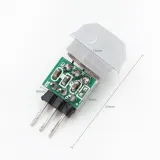
Abmessungen
Länge: 2,8cm
Breite: 1,4cm
Höhe: 1,4cm
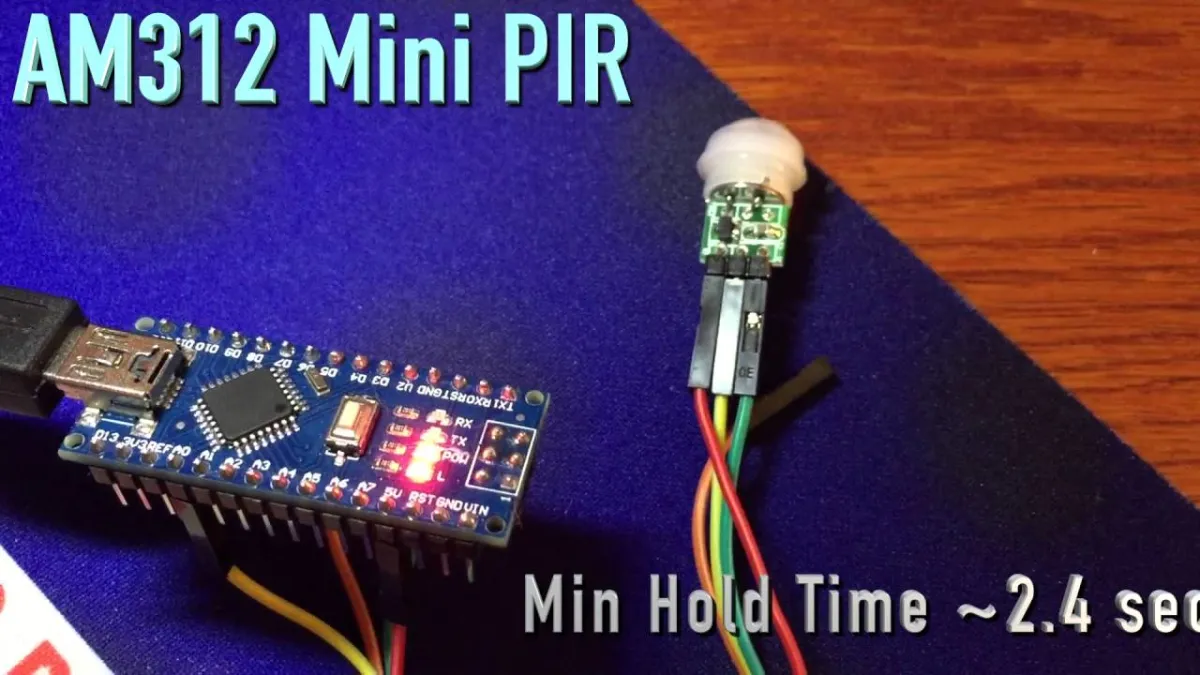
Beim Abspielen wird das Video von YouTube geladen.
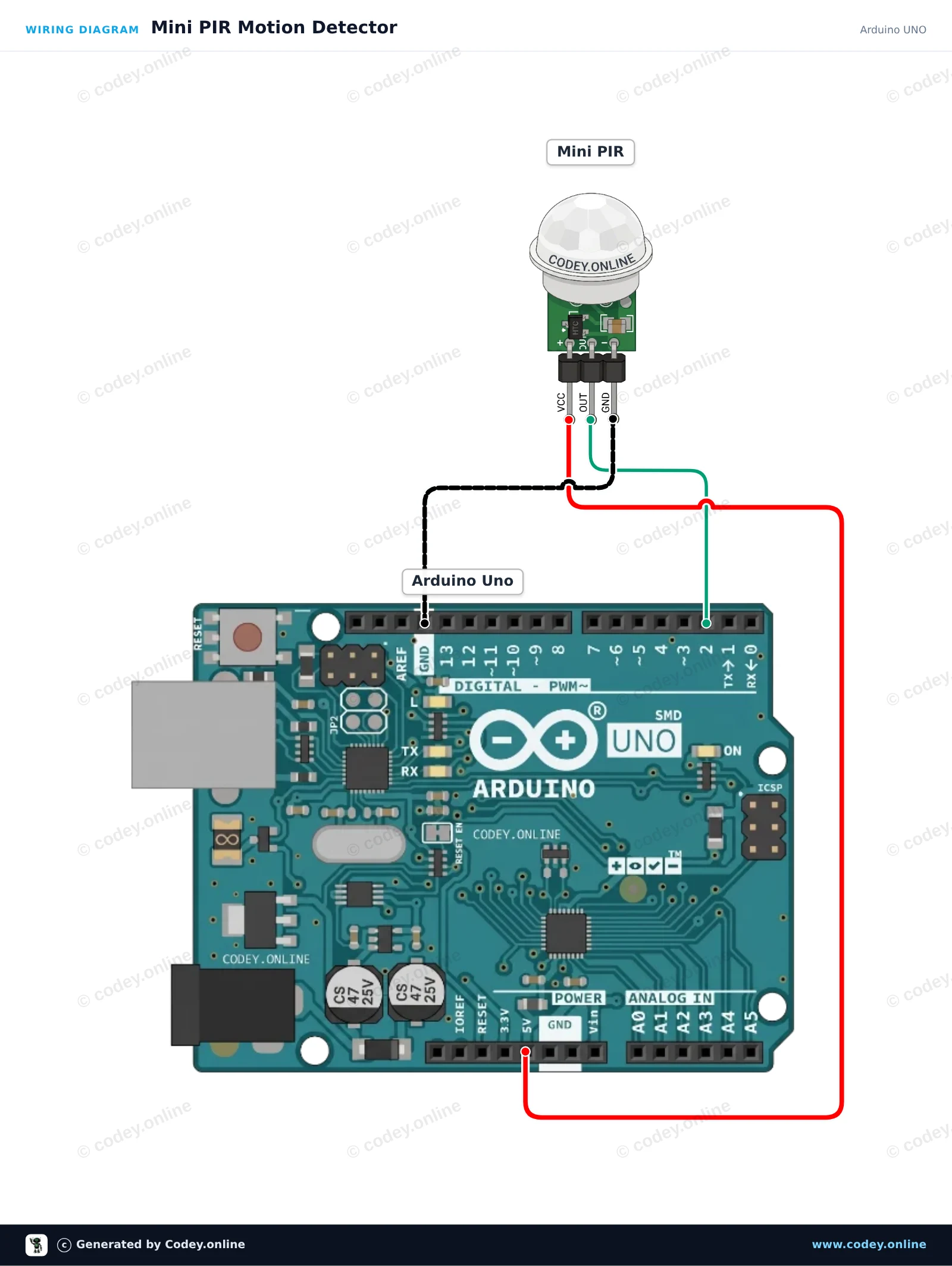
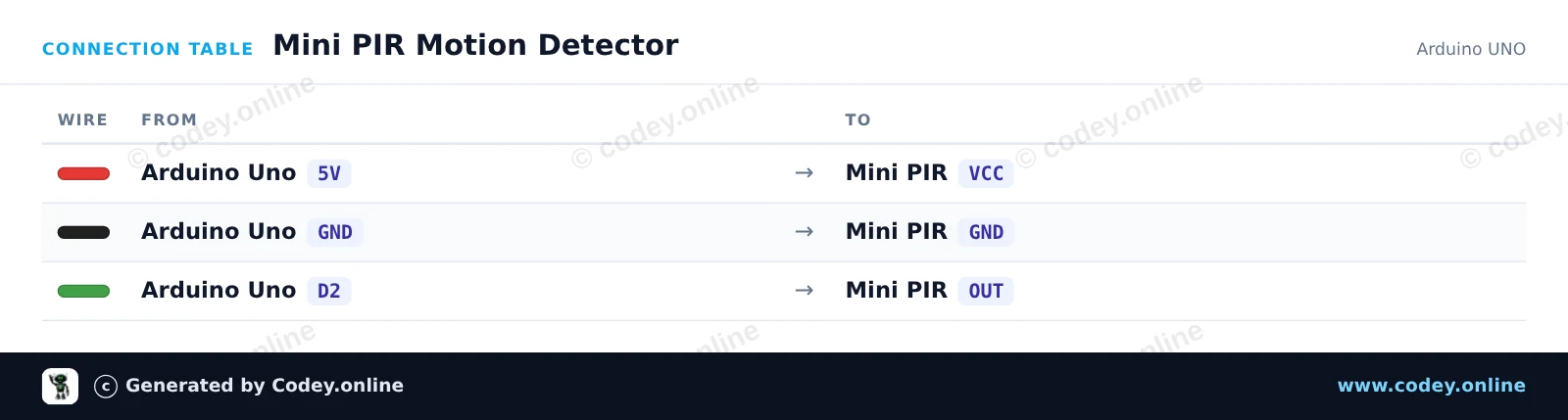
So schließt du den Mini PIR pyroelektrischer Infrarot-Bewegungssensor an einen Arduino UNO oder ESP32 an, mit einem Beispiel-Sketch, den du direkt hochladen kannst.
Dieses Projekt erkennt Bewegungen mit einem Mini-PIR-Sensor und schaltet die eingebaute LED des Arduino ein. Wenn eine Bewegung erkannt wird, leuchtet die LED auf und es wird eine Meldung im Serial Monitor ausgegeben. Gib dem Sensor nach dem Einschalten eine kurze Aufwärmzeit, damit er sich stabilisieren kann.
/*
 * ==================================================================
 *  Generated by Codey.online  —  https://www.codey.online
 * ==================================================================
 *  Project   : Mini PIR Motion Detector
 *  Board     : Arduino UNO (arduino:avr:uno)
 *  Parts     : Mini PIR
 *  Libraries : none (built-in)
 *
 *  Codey Online is an AI-powered browser IDE for Arduino and ESP32.
 *  Describe your project and Codey writes the code, draws the wiring
 *  diagram and uploads it to your board, straight from the browser.
 *  This code is free to use, modify and share, without warranty.
 * ==================================================================
 */

// Pin definitions
const int pirPin = 2;
const int ledPin = 13;

void setup() {
  pinMode(pirPin, INPUT);
  pinMode(ledPin, OUTPUT);

  Serial.begin(115200);
  Serial.println(F("Mini PIR Sensor Initializing..."));
  Serial.println(F("Waiting 5 seconds for sensor to settle..."));
  delay(5000);
  Serial.println(F("Ready! Monitoring for motion..."));
}

void loop() {
  int motionDetected = digitalRead(pirPin);

  if (motionDetected == HIGH) {
    digitalWrite(ledPin, HIGH);
    Serial.println(F("Motion detected!"));
  } else {
    digitalWrite(ledPin, LOW);
    Serial.println(F("Scanning... No motion."));
  }

  delay(300);
}Wiring diagram and example code generated by Codey.online — https://www.codey.online
Dieses Projekt erkennt menschliche Bewegung mit einem Mini PIR-Bewegungssensor. Wenn eine Bewegung erkannt wird, schaltet der ESP32 die onboard LED (GPIO 2) ein und gibt eine Meldung im Serial Monitor aus. Die Versorgung des Sensors mit 3.3V sorgt für sichere Signalpegel für den ESP32-Eingang.
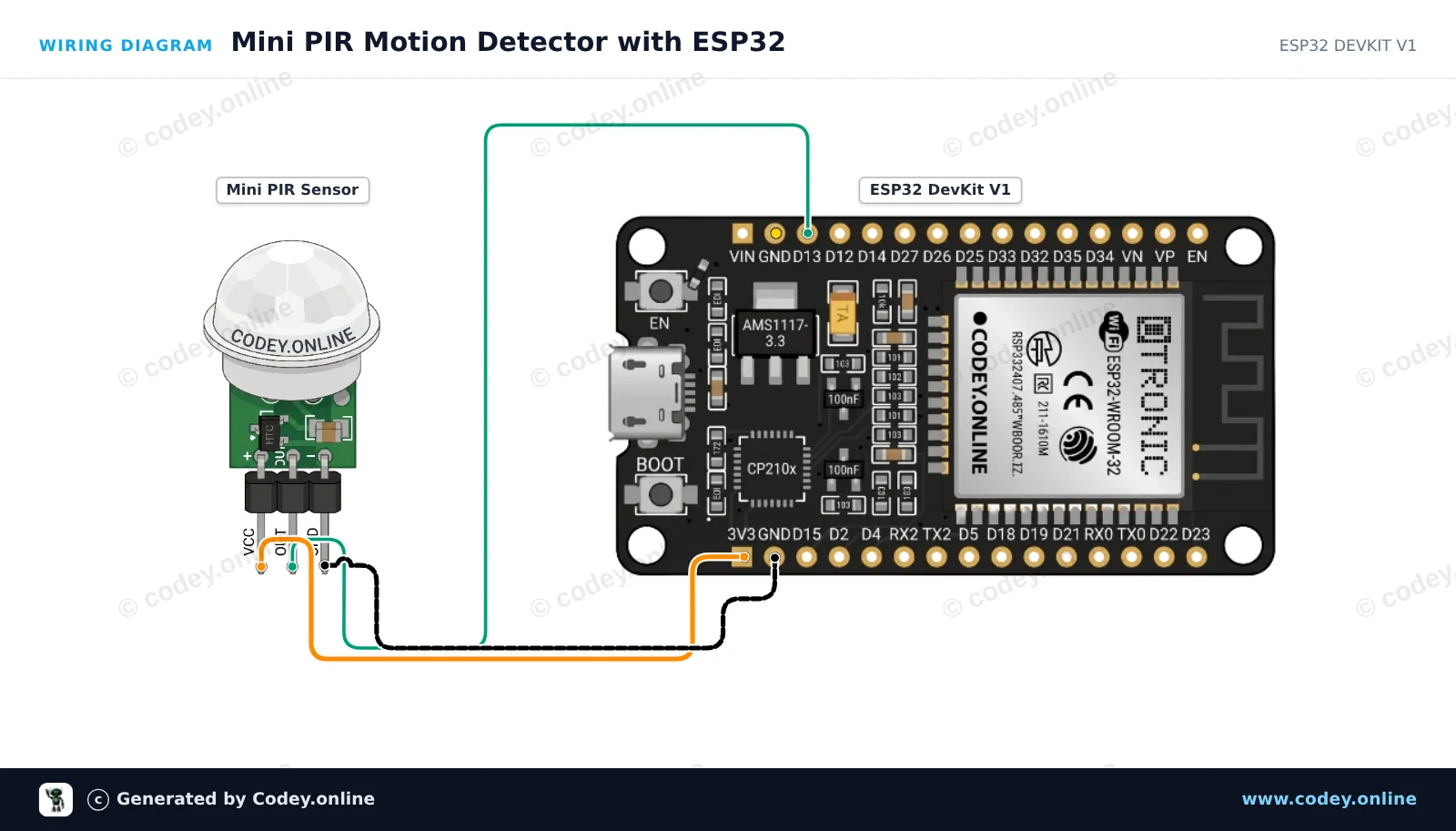
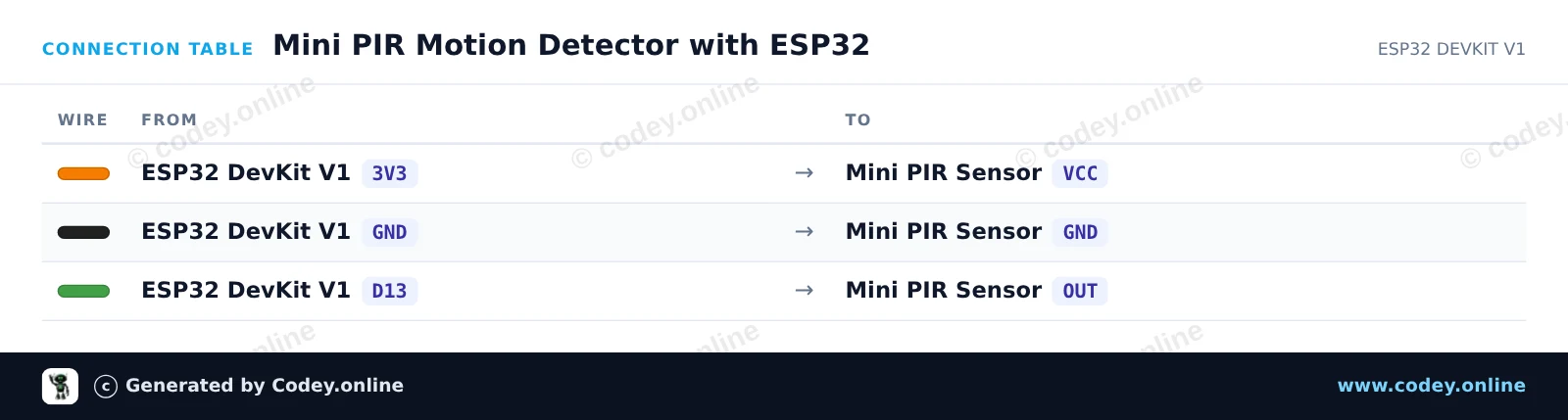
/*
 * ==================================================================
 *  Generated by Codey.online  —  https://www.codey.online
 * ==================================================================
 *  Project   : Mini PIR Motion Detector with ESP32
 *  Board     : ESP32 DEVKIT V1 (esp32:esp32:esp32doit-devkit-v1)
 *  Parts     : Mini PIR
 *  Libraries : none (built-in)
 *
 *  Codey Online is an AI-powered browser IDE for Arduino and ESP32.
 *  Describe your project and Codey writes the code, draws the wiring
 *  diagram and uploads it to your board, straight from the browser.
 *  This code is free to use, modify and share, without warranty.
 * ==================================================================
 */

// Mini PIR Motion Detection with ESP32

const int PIR_PIN = 13;     // Connected to Mini PIR OUT
const int LED_PIN = 2;      // ESP32 onboard LED

int lastState = LOW;

void setup() {
  Serial.begin(115200);
  pinMode(PIR_PIN, INPUT);
  pinMode(LED_PIN, OUTPUT);
  digitalWrite(LED_PIN, LOW);

  Serial.println("PIR Sensor Initializing... Please wait 10-30s for sensor warm-up.");
}

void loop() {
  int currentState = digitalRead(PIR_PIN);

  if (currentState != lastState) {
    lastState = currentState;
    if (currentState == HIGH) {
      digitalWrite(LED_PIN, HIGH);
      Serial.println("Motion detected!");
    } else {
      digitalWrite(LED_PIN, LOW);
      Serial.println("Motion ended.");
    }
  }

  delay(50);
}Wiring diagram and example code generated by Codey.online — https://www.codey.online





 English
  Nederlands
  Frans
Frans  Italiano
  Español
  Suomi
Suomi  Polski
  Dansk
Dansk  Ελληνικά
  Български
  Čeština
  Hrvatski
  Aileen